

This guide covers 14 apps that digital nomads use for money, flights, maps, messaging, work, security, and health. Each entry gives the price, the platforms, offline use where it matters, one real limit, and a travel use. Prices and features were checked on November 18, 2026. Many differ by country, so the app store listing is worth a look before paying.
How the Apps Were Chosen
The apps are grouped by job and are not ranked. Each one has a free option or a published price. Each one also helps with a problem that comes up when a person lives and works in several countries. Where sources gave different figures, the entry says so. The health apps are described by what they offer, and the article makes no claim that they treat or prevent anything.
Money Apps
Money apps help with paying in local currency and keeping fees low. A separate post covers apps for tracking multi-currency expenses, and another compares payment platforms for overseas clients.
1. Wise
Wise is an account that holds money in many currencies and converts it for a fee that varies by currency. Many nomads use it as a base account when a local bank account is slow to open. The post on how to open a bank account without residency covers other routes.
- Platforms: iOS, Android, and web.
- Price: Opening a personal account is free, and holding more than 40 currencies has no fee, according to Wise help pages.
- Card: The card may carry a fee to get or replace, and free ATM withdrawals have a limit.
- Limit: Receiving international wires can cost a fee, and USD wires are not free to receive. An account registered in India cannot hold Indian rupees.
- Travel use: A nomad paid in US dollars could hold euros ahead of a rent payment in Europe, as an example.
Wise pages give different currency counts, from more than 40 to more than 50. The list for the needed currency is worth checking first.
Best for: Nomads who are paid in one currency and spend in another.
2. Revolut
Revolut is a banking app with a free Standard plan and paid tiers. Plans and limits differ by country, so the figures below come from the UK pricing page, which uses pounds. Readers comparing options can also read about cards with no foreign transaction fees.
- Platforms: Mobile app, which the home page promotes.
- Price: Standard is free, and Plus costs £3.99 per month.
- Exchange: Standard includes free currency exchange up to £1,000 per month on weekdays, with a 1% markup on weekends.
- ATMs: The Standard allowance is £200 per month or 5 withdrawals.
- Limit: The monthly exchange cap and the weekend markup can raise the cost of large or weekend conversions.
A traveler who lands on a Saturday and exchanges money could meet the weekend markup. Planning large exchanges for weekdays may cost less.
Best for: Travelers with modest monthly exchange needs who want a free plan.
Flights and Maps
Flight and map apps help with the move between bases and with finding the way once there.
3. FlyBibe
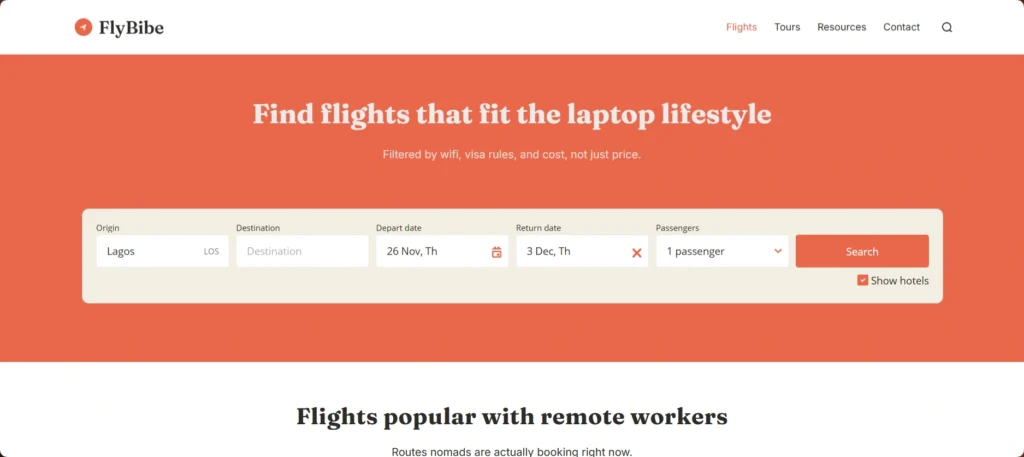
FlyBibe is our flight search site, built for remote workers. We filter results by wifi, visa rules, and cost, as well as price. A nomad can use our flight search to compare routes to the next base.
- Platforms: Web.
- Filters: We filter results by wifi, visa rules, and cost, and we factor in timezone overlap.
- Cheapest days: Prices shift by the day, so we show which days are cheapest to fly.
- Limit: The search does not include price alerts, so a separate app may suit anyone who wants them.
- Travel use: A nomad can compare routes to a new base by wifi and visa rules before picking dates.
Dedicated apps for flight price drops and fare alerts are compared in a separate post. The post on flexible date and multi-city searches covers tools built for open itineraries.
Best for: Nomads who choose a route by wifi, visa rules, and cost.
4. Google Maps
Google Maps lets users download an area and use it offline. Offline use helps in places where mobile data is weak or has not started working yet.
- Platforms: iOS and Android.
- Price: Free, according to the App Store listing.
- Offline: Navigation works offline only if the whole route sits inside the downloaded area.
- Limit: Transit, bicycling, and walking directions are not available offline. Driving directions offline have no traffic information or alternate routes. Offline download is not available in some countries or regions.
- Travel use: A downloaded area can help on a drive from the airport before a new SIM works.
Offline maps need an update before they expire. The app tries an automatic update within 15 days of expiry when the phone is on Wi-Fi. A long stay may need a refresh.
Best for: Drivers and travelers who want a saved map as a backup.
Staying Connected
Connectivity apps cover mobile data, messaging, and language. Each one depends on a phone that works in the country where the nomad is staying.
5. Airalo
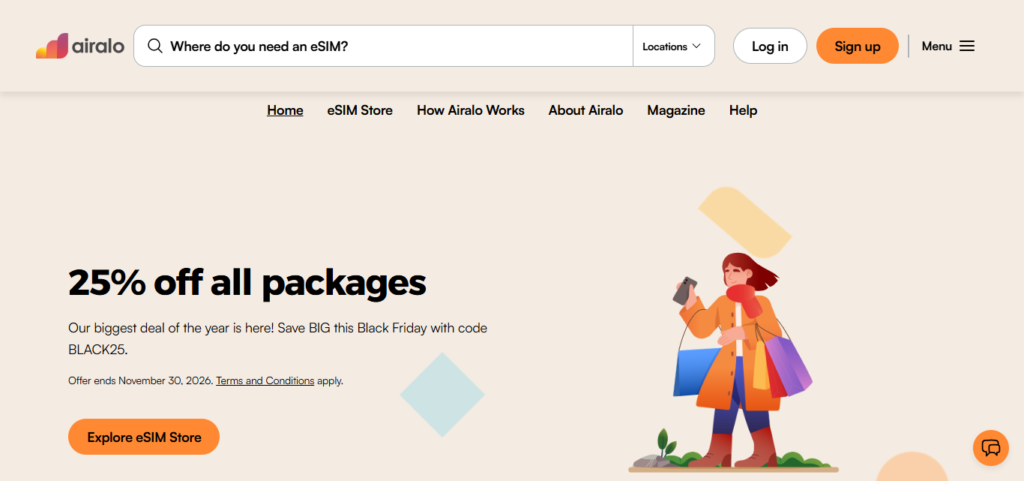
Airalo is an eSIM marketplace that sells local, regional, and global data plans. The company was founded in 2019 and lists plans in more than 200 countries and regions. The post comparing Airalo vs Holafly vs Nomad looks at eSIM options for Europe.
- Platforms: iOS, Android, and web.
- Price: Airalo’s own guide uses $5, $10, and $15 packages as examples. Prices depend on the country and the plan.
- Phone needs: The phone must support eSIM and be carrier unlocked.
- Limit: Reviews report that many plans cover data only, so calls and texts may need a messaging app.
- Travel use: Activation timing depends on the plan, so reading the plan page before a flight can avoid surprises.
The post on eSIM vs local SIM covers when a local SIM or a hotspot may suit a trip better.
Best for: Short stays in several countries with an eSIM-compatible, unlocked phone.
6. WhatsApp
WhatsApp offers free messaging and calling. The website notes that mobile data fees may apply. The App Store listing says the app has more than 2 billion users in more than 180 countries.
- Platforms: iOS, Android, plus WhatsApp Web and Desktop.
- Price: Free, with possible data charges from the mobile provider.
- Calls: Group calls allow up to 32 people, according to the App Store listing.
- Limit: The account is tied to a phone number. Changing it needs the new number to receive an SMS or a call, and the number cannot be changed on WhatsApp Web or Desktop.
- Travel use: One app can reach contacts in many countries over Wi-Fi.
A nomad who swaps SIM cards often can read how to keep your phone number abroad before changing the number on the account.
Best for: Staying in touch with clients, landlords, and family in many countries.
7. Google Translate
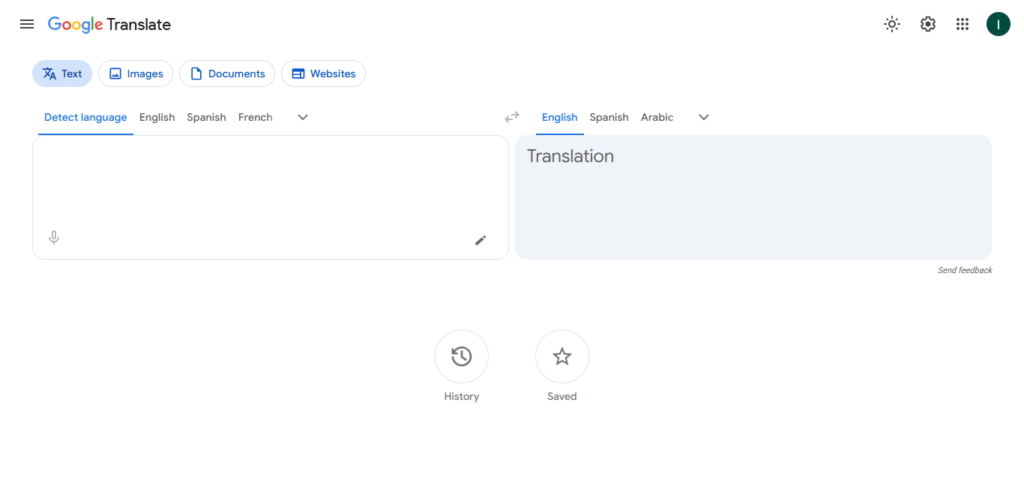
Google Translate supports up to 249 languages, and feature support varies by language. The web version has tabs for text, image, document, and website translation.
- Platforms: iOS, Android, and web.
- Price: Free.
- Offline: Languages can be downloaded for offline use, and Wi-Fi is recommended for the download.
- Limit: Some languages cannot be downloaded for offline use.
- Travel use: The document and image tabs can help with a lease, a bill, or a menu.
The post on AI translation apps covers tools for working with international clients.
Best for: Everyday errands in a language the reader does not speak.
Work and Time Zones
Work apps help when clients, teams, and deadlines sit in other time zones. The post on AI tools for digital nomad productivity covers a wider set of AI helpers.
8. World Time Buddy
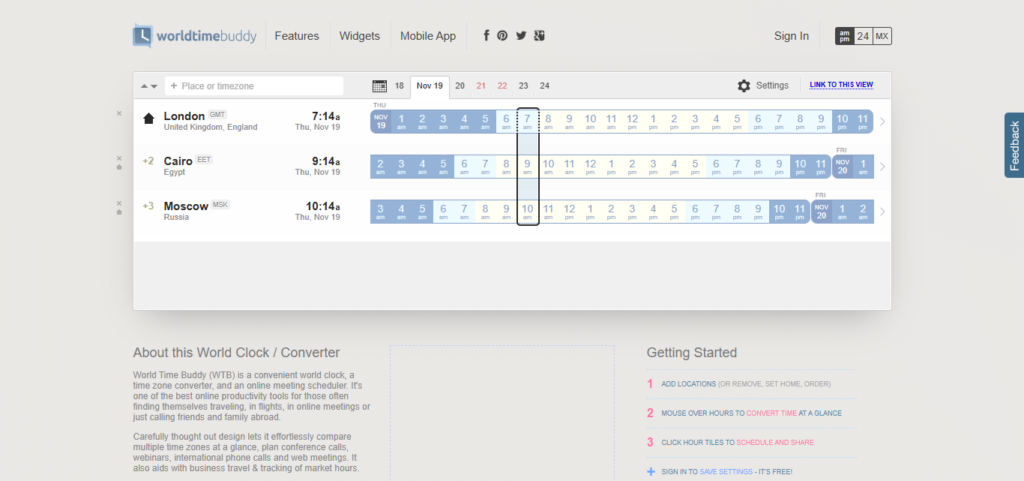
World Time Buddy shows several time zones side by side, so a meeting time is easy to compare across places.
- Platforms: Web, plus iOS and Android apps.
- Price: The converter works without login, and signing in to save settings is free. The App Store lists the app as free with in-app purchases.
- Limit: The pages checked did not say what the free version limits or what the in-app purchases add.
- Travel use: Comparing a base in one time zone with clients in two others before proposing a call.
The post on client meetings across multiple time zones covers scheduling habits for distributed work.
Best for: Nomads who plan calls across two or more time zones.
9. Calendly
Calendly gives clients a booking page where they can choose a meeting time. Its home page describes AI-powered scheduling and automated meeting recaps.
- Platforms: Web, with browser extensions.
- Price: The free plan has 1 event type and 1 connected calendar. The pricing page lists Standard at $10 and Teams at $16 per seat per month in US dollars. It shows savings of 17% and 20% for annual billing.
- Limit: A user with several types of calls may need a paid plan, since the free plan allows one event type.
- Travel use: Availability can be customized to match travel days.
Other options are compared in the post on AI scheduling tools for distributed teams.
Best for: Freelancers with one main type of call.
10. Notion
Notion is a workspace for notes, tasks, and documents. Offline use works in the desktop and mobile apps, and not in a web browser.
- Platforms: Desktop and mobile apps, plus web.
- Price: Free is $0 per member per month. Plus is listed at $10 per member per month in US dollars, with savings of up to 20% shown for yearly billing.
- Offline: All plans can use offline pages once a page is marked available offline. Sub-pages do not download automatically, and paid plans also download recent and favorite pages.
- Limit: Embeds, AI blocks, forms, and buttons need a connection. Databases download only the first 50 rows of the first view, and pages cannot be shared offline.
- Travel use: A trip checklist marked available offline stays readable on a flight.
The post on managing async work across time zones lists other tools for remote teams.
Best for: Planners who keep notes and checklists they need without a connection.
Security Apps
Security apps protect logins and connections on hotel, cafe, and airport networks.
11. Bitwarden

Bitwarden is an open-source password manager with a free plan. The free plan allows unlimited logins on unlimited devices and includes a free authenticator app for two-factor codes.
- Price: Premium costs $1.65 per month, billed yearly at $19.80. Families costs $3.99 per month, or $47.88 per year, for up to six users. The prices come from a Bitwarden blog post dated January 21, 2026.
- Premium adds: Vault health alerts, password coaching, 5 GB of attachment storage, and up to 10 security keys.
- Limit: The free organization shares passwords with only one other person.
- Travel use: With unlimited devices on the free plan, logins can be reached from a laptop when a phone is lost.
Current subscribers receive 15 days’ notice before the new prices apply at their next renewal.
Best for: Travelers who manage many logins across a phone and a laptop.
12. Proton VPN
Proton VPN has a free plan and paid plans. Its home page says the free plan has no ads and no data limits.
- Free plan: Servers in 10 countries, chosen at random, and 1 device at a time.
- Paid plans: VPN Plus lists 20,000+ servers in 140+ countries and up to 10 devices, according to Proton’s support page. Paid plans have a 30-day money-back guarantee.
- Price: On November 18, 2026, the site showed VPN Plus at $3.49 per month on a 24-month plan billed at $83.76. The plan renews at $83.88 per year, which is about $6.99 per month. The list price shown was $9.99 per month.
- Limit: The free plan picks the server country at random, so a user cannot choose one.
- Travel use: A VPN can be switched on over hotel or airport Wi-Fi.
The post on the best VPN for digital nomads compares other providers. The post with cybersecurity tips for public wifi covers habits that a VPN does not replace. Rules on VPN use differ by country, so local rules are worth checking.
Best for: Travelers who want to try a VPN before paying.
Health and Routine
Health apps are described only by what they offer. The post on how to stay fit and healthy as a digital nomad covers habits beyond apps.
13. Insight Timer

Insight Timer is a meditation timer with an audio library. The home page says the library is free and has no ads.
- Platforms: Mobile app.
- Price: The free account includes a timer with custom bell intervals, reminders, and statistics. Its support page also cites a library of more than 300,000 tracks. MemberPlus costs $9.99 per month or $59.99 per year in US dollars, and prices vary by region and app store.
- Offline: The timer works offline on the free account. Offline listening to downloaded tracks needs MemberPlus.
- Limit: Audio downloads for a long flight need a paid plan. Subscriptions renew automatically unless auto-renew is turned off at least 24 hours before renewal, and unused time is not refunded.
- Travel use: The timer can run on a plane with no Wi-Fi.
Best for: Travelers who want a simple timer that works offline.
14. Nike Training Club
Nike Training Club is a free workout app. The Nike page lists more than 185 free workouts, and the App Store describes bodyweight workouts that need little or no equipment.
- Platforms: iOS and Android.
- Price: Free. A review by Android Authority says a free Nike account is required.
- Limit: A review by Garage Gym Reviews notes that the app has no individualized programming.
- Travel use: A bodyweight workout can fit in a small rental room.
Readers who prefer a gym can read about finding gyms and fitness classes in a new city.
Best for: Travelers who want free workouts for a small room.
Subscription Terms to Check Before Paying
Several apps in this list change price or renewal terms in ways that can surprise travelers.
- Auto-renewal: Insight Timer subscriptions renew automatically unless the setting is turned off at least 24 hours before renewal.
- Prices by country: Revolut plans and limits differ by country, and Insight Timer prices vary by region and app store.
- Promotional prices: The Proton VPN price shown on November 18, 2026, applied to a 24-month plan, and the renewal price was higher.
- Yearly billing: Bitwarden Premium and Families are billed yearly, and Notion shows savings for yearly billing.
Search Flights for Your Next Base
Apps handle money, maps, messages, and work once a nomad lands, and the first step is choosing where to land. Search flights to your next base on FlyBibe and filter results by wifi, visa rules, and cost as well as price. The home page also points to the cheapest days to fly. Once a route is chosen, the eSIM, the offline maps, and the currency account can all be set up before departure.