

This list covers six AI scheduling tools that help distributed teams set meetings across time zones. Each entry shows how the tool handles time zones, what it costs, and where it falls short. Prices and features come from official pricing and help pages checked in October 2026.
What This List Looks For
The list looks at how each tool handles time zones, including travel, and whether it can find a free hour across several calendars. Price and calendar support also count. The ranking reflects how well each tool fits people who move between cities, with time zone features weighted most.
Why Clockwise Is Not on This List
Clockwise appears on many older lists of AI scheduling tools. The product shut down on March 27, 2026, after its team joined Salesforce. Teams that used it need one of the tools below or another replacement.
The Tools
1. Reclaim
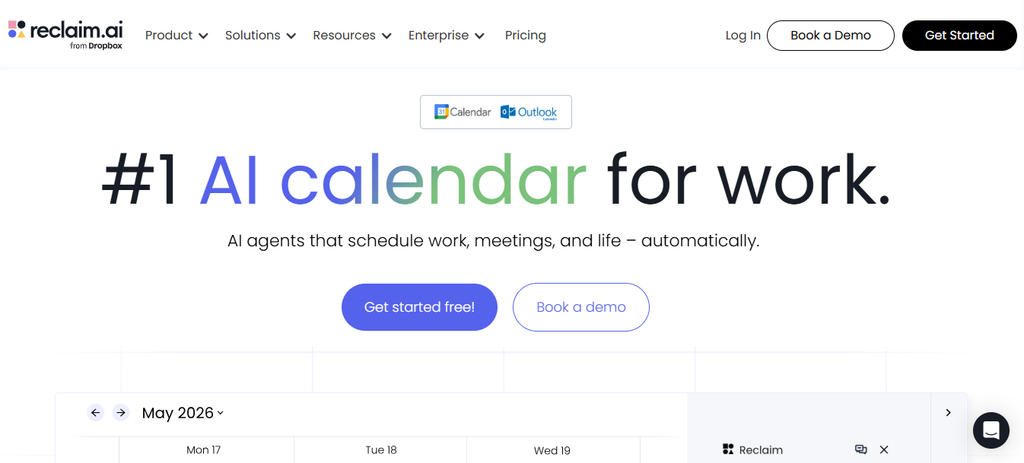
Reclaim works inside Google Calendar and Outlook Calendar. It places focus time, habits, and tasks around your meetings, and it looks for meeting times across the schedules of everyone invited.
- Time zones: You set a home time zone and add a travel time zone with a start date and an end date. Reclaim returns to your home time zone when the trip ends.
- Finding meeting times: Smart Meetings search the calendars of all attendees. In Smart 1:1s, the organizer can change both people’s working hours to create more overlap.
- Price: The Lite plan is free. Starter costs $10 per seat per month on yearly billing and $12 on monthly billing. Business costs $15 on yearly billing and $18 on monthly billing.
- Calendars: Google Calendar and Outlook Calendar both work on all plans.
Travel time zones suit a nomad who spends June in Lisbon and July in Bali, which are about seven hours apart in summer. Each trip gets its own dates, so the schedule only shifts while you are away. A flight across seven time zones also brings jet lag, so the first days may need fewer meetings.
The free plan allows one scheduling link and plans only one week ahead. Smart Meetings with three or more people count attendees without a paid seat as attendee users, and larger groups need paid add-on packs. The pricing page also lists a launch promotion for those attendees, so current terms are worth checking before a team signs up.
Best for: remote workers who change cities often and want meetings and focus time to follow them.
2. Vimcal
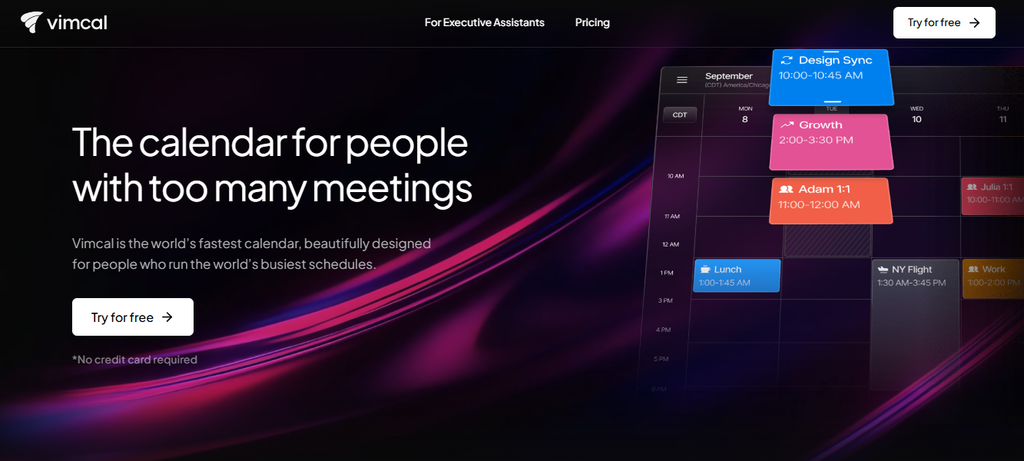
Vimcal is a fast calendar app for people with many meetings. It shows Google Calendar and Outlook Calendar together in one view.
- Time zones: The Time Travel view moves the calendar into another person’s time zone and shows where working hours overlap.
- AI help: A Free Time Finder picks open slots to share by email, and natural language lets you type in new events.
- Price: The iOS app is free and converts times between zones. The iOS and Desktop plan costs $25 per month on yearly billing and $35 on monthly billing.
- Teams: Group polls, unlimited booking links, team scheduling, and the desktop apps need the paid plan.
Vimcal puts the time math on the screen, which helps when teammates sit in three or four zones. The pricing page lists five time zones at once only under Vimcal EA, which costs $68.75 per month on yearly billing. The standard plan is one of the more expensive on this list, and the free tier works only on iOS.
Best for: people who book many meetings with contacts in several time zones.
3. Skej
Skej is an AI assistant that works inside email. A person copies Skej on a message, and the assistant proposes times, books the meeting, and sends the invite. The other person only needs to reply to the email.
- Time zones: Time zone management is listed on the paid plans. The assistant tracks where each collaborator is located to offer fitting times.
- Where it works: Gmail, Outlook, and other email apps, plus Slack, texting, and WhatsApp on paid plans.
- Price: The free plan has one booking link, a daily agenda, and a 7-day trial of the assistant with 3 free meetings. Pro costs $15 per user per month on yearly billing, and Premium costs $23.
- Calendars: Google Calendar and Microsoft calendars, with Zoom, Google Meet, and Microsoft Teams video.
Skej suits long email threads with clients or contractors in many time zones, since outside guests do not need an account. The site calls the assistant fully AI with no human in the loop, so a test on low-stakes threads is a sensible first step. After the trial, the assistant needs a paid plan, and each extra team member adds another subscription.
Best for: people who arrange most meetings by email with outside contacts.
4. Calendly
Calendly lets people book time from a link. The link detects the visitor’s time zone and converts the times automatically.
- Team features: Round-robin scheduling and team scheduling need the Teams plan. Round-robin spreads meetings across teammates.
- AI features: Callie, an AI assistant in beta, schedules over email when you add callie@calendly.com to a thread. Notetaker adds recaps and action items. Both are paid add-ons and work only in English.
- Price: The free plan has one event type and one calendar connection. Standard costs $10 per seat per month on yearly billing, and Teams costs $16.
- Seats: Hosts need a seat, and invitees do not.
Notetaker is one of many AI meeting note tools that leave a recap for teammates who could not join because of the hour. The AI features are still early, and the round-robin tools sit on the higher plan. Reviews describe Calendly as built mainly for client booking.
Best for: teams that take bookings from clients in other time zones.
5. Morgen
Morgen is a daily planner that puts several calendars and task apps in one place. Its AI Planner suggests a plan for the day, and you approve it before anything reaches your calendar.
- Time zones: Morgen can show more than one time zone at once, so there is no need to convert times by hand.
- Calendars and apps: Google, Outlook, iCloud, Fastmail, and CalDAV calendars work. Apps exist for Windows, macOS, Linux, iOS, Android, and the browser.
- Price: Morgen costs $15 per month on yearly billing and $30 on monthly billing, after a 14-day trial.
The approval step stops a bad guess from filling your calendar when your working hours change with each city. A reviewer noted that setup takes time. Morgen is built around one person’s day, so it gives less help with finding a shared meeting time across a whole team.
Best for: solo remote workers who want to review an AI plan before it lands on the calendar.

6. Motion
Motion places tasks and meetings on your calendar by itself and moves them when plans change. It syncs both ways with Google Calendar and Outlook.
- Time zones: Motion’s help pages say it schedules in your default time zone. The pages reviewed did not show a travel time zone setting.
- Price: The pricing page lists Pro AI from $19 per seat per month and Business AI from $29. The price depends on the plan and billing choice. There is no free plan.
- AI credits: Pro AI includes 7,500 credits per seat per month. Business AI includes 15,000.
- Trial: The free trial lasts 7 days.
Motion has grown from a calendar app into a wider AI workspace with docs, notes, and projects. Some 2026 reviews report mixed user sentiment over price increases and the added features. The scheduler needs one to two days to learn a calendar, so the 7-day trial leaves limited time to test it on a trip.
Best for: people who want one tool to plan nearly everything and accept a higher price.
When Two Time Zones Share No Working Hours
A scheduler can only choose from hours that exist. If two teammates share no working time at all, a tool will place the call at an awkward hour for one of them. In that case, async work usually serves the team better than any calendar tool. Some calls still need a live meeting. Our guide to client meetings across multiple time zones covers the habits that keep them manageable.
Which Tool to Try First
Any of these tools can keep meetings at sensible hours while you move between cities. Reclaim and Vimcal suit frequent travelers well, and Skej works well for email-heavy contacts. A free trial of one or two tools shows quickly which fits your calendar. When your next base is chosen, search flights on FlyBibe and book a route that leaves time to settle in before your first call.